With its powerful features, the SurveyMonkey platform helps over 330,000 organizations and 98% of the Fortune 500 drive success by helping them design and send surveys with confidence, as well as maximize their data’s potential.
As a Product Designer at SurveyMonkey, I've worked across the core self-serve experience for desktop web. I am responsible for the features and experiences that allow users to build, design, and send their surveys. I am also responsible for driving innovation in the survey-taking, or respondent, experience.
Payment Question (2018)
I worked on a new question type that allows SurveyMonkey users to collect payments from their survey respondents. When designing this feature, I had to consider all states for each step in the flow: creation of the question, collection of responses, and the interaction of the payment question in the survey-taking experience.
We set out to build this feature with two main goals in mind. First, we wanted to solve for an existing need for survey creators with specific use cases that require payment, such as events and donation collection for non-profits and charities. Secondly, we wanted to increase conversion for specific customer categories, such as non-profits and charities, which are historically low conversion customer categories.
Design Principles:
1. Make it easy to add payment to surveys
2. Create a mobile-friendly respondent design
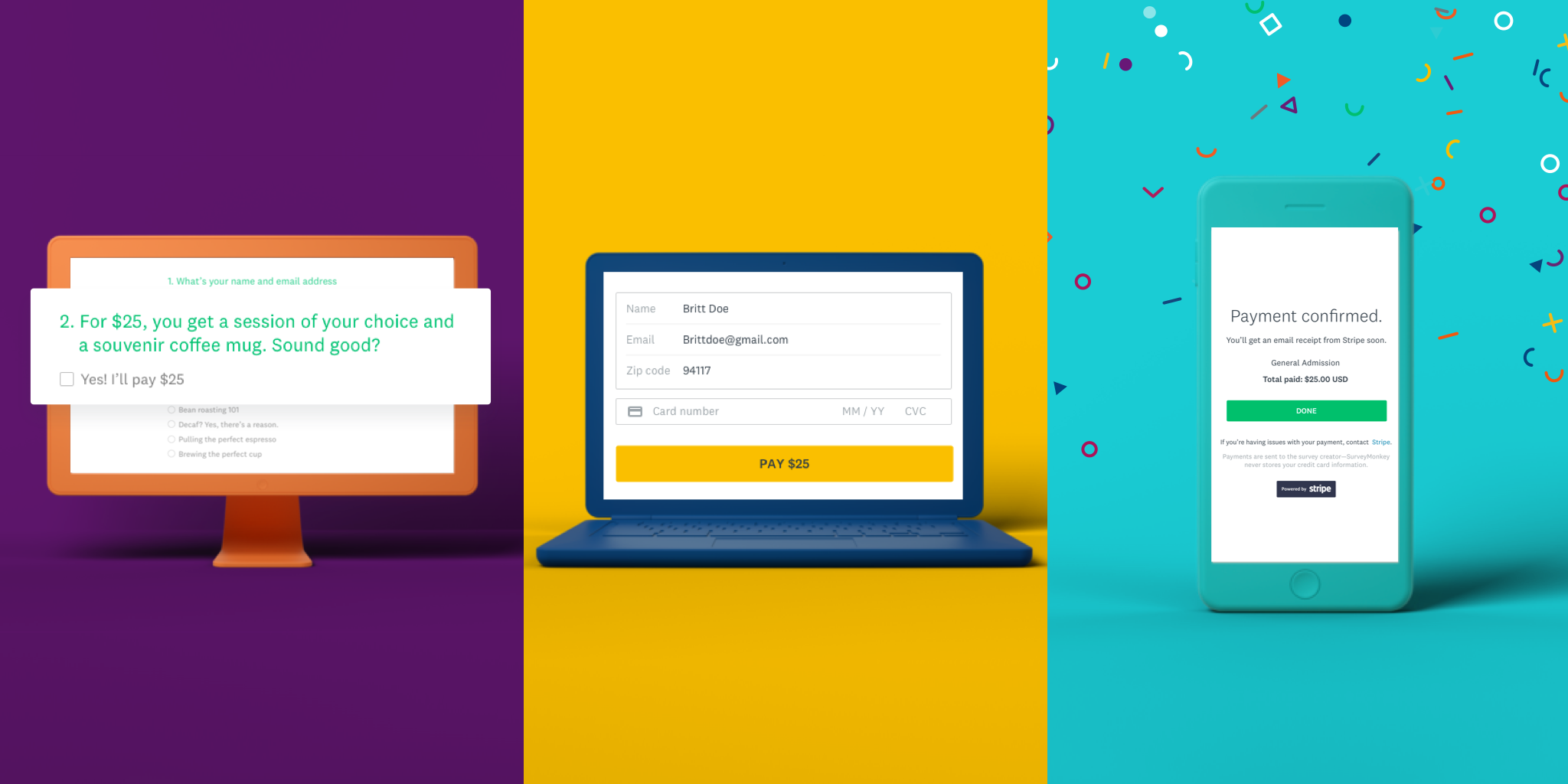
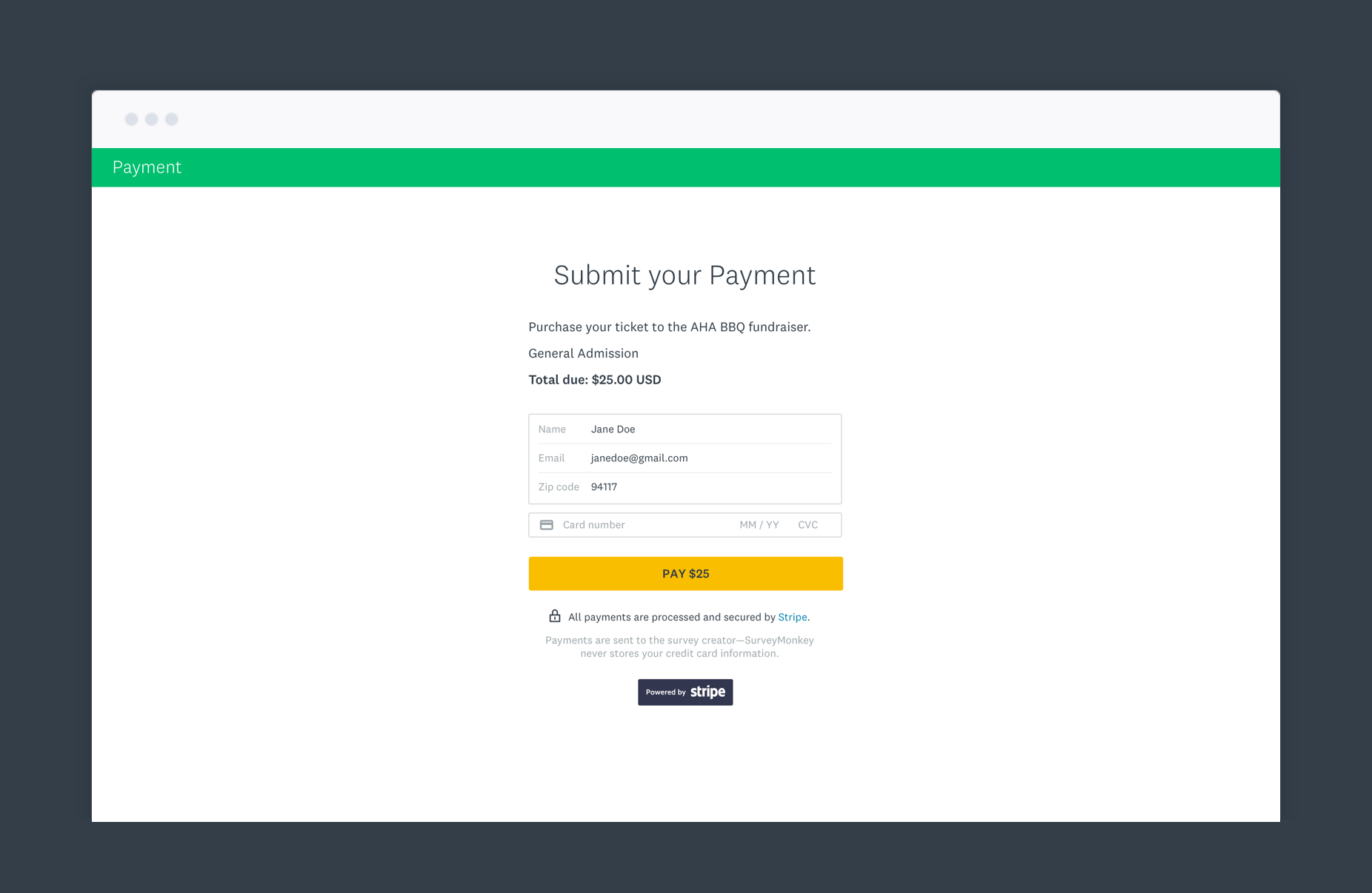
We partnered with Stripe to support the user experience of collecting payments at the end of the survey via a dedicated payment page.
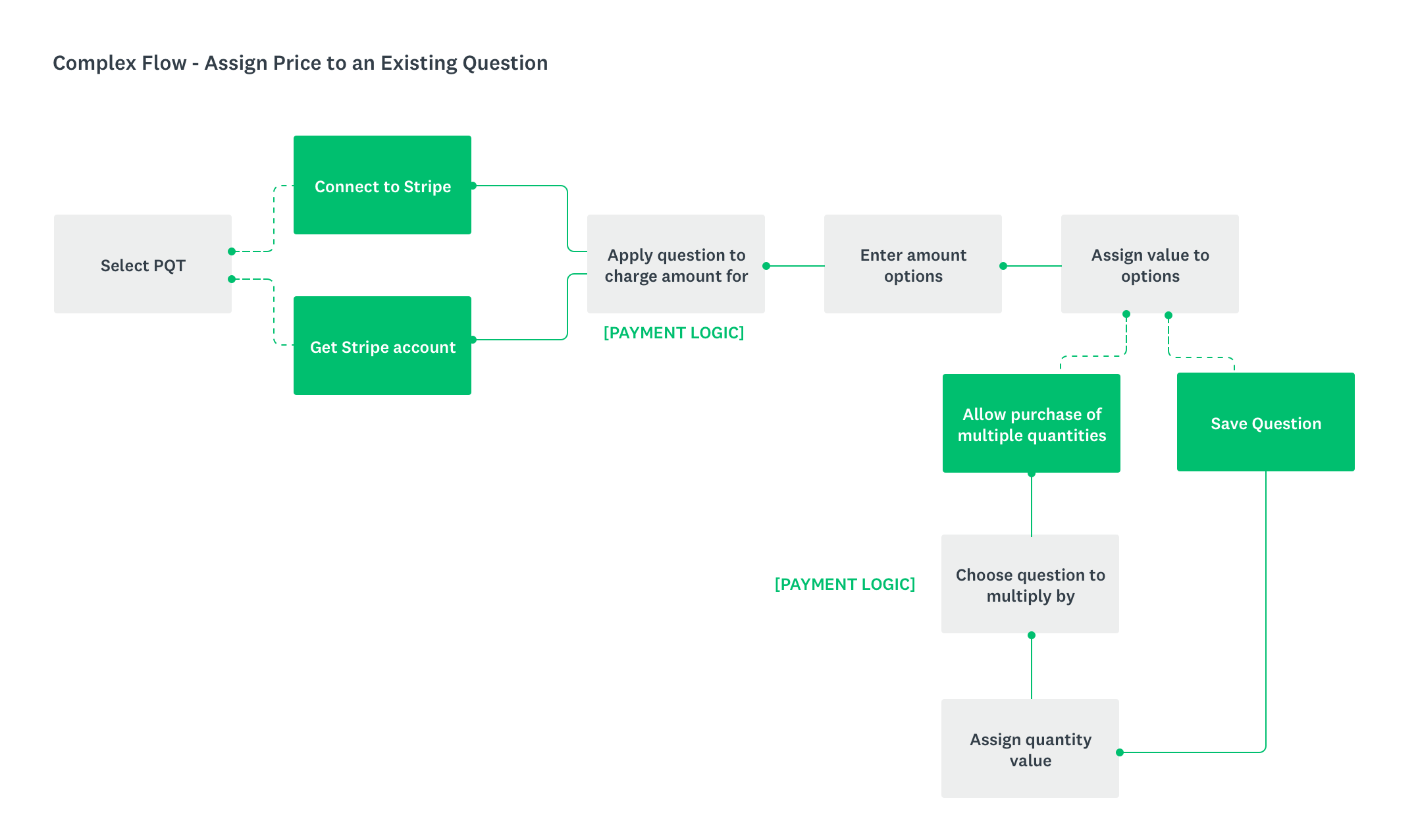
a) Adding Payment Question to a survey
b) UI & Interaction for survey respondents
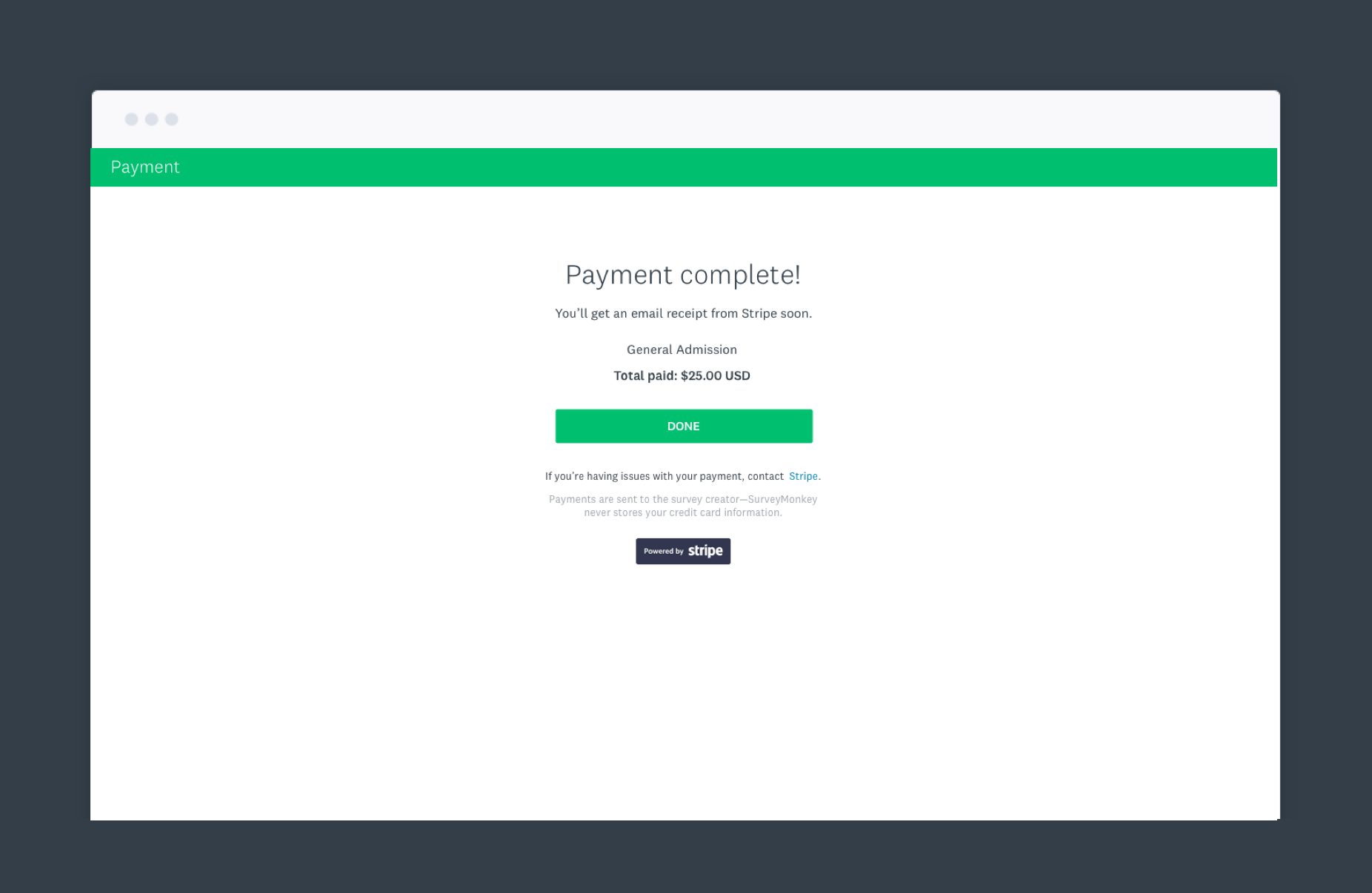
c) Screen state for successfully processed payment
Response Collection: Text Message and QR Code (2018)
In my time at SurveyMonkey, I’ve been responsible for designing 2 new response collection methods for users: The Text Message collector and QR Code collector.
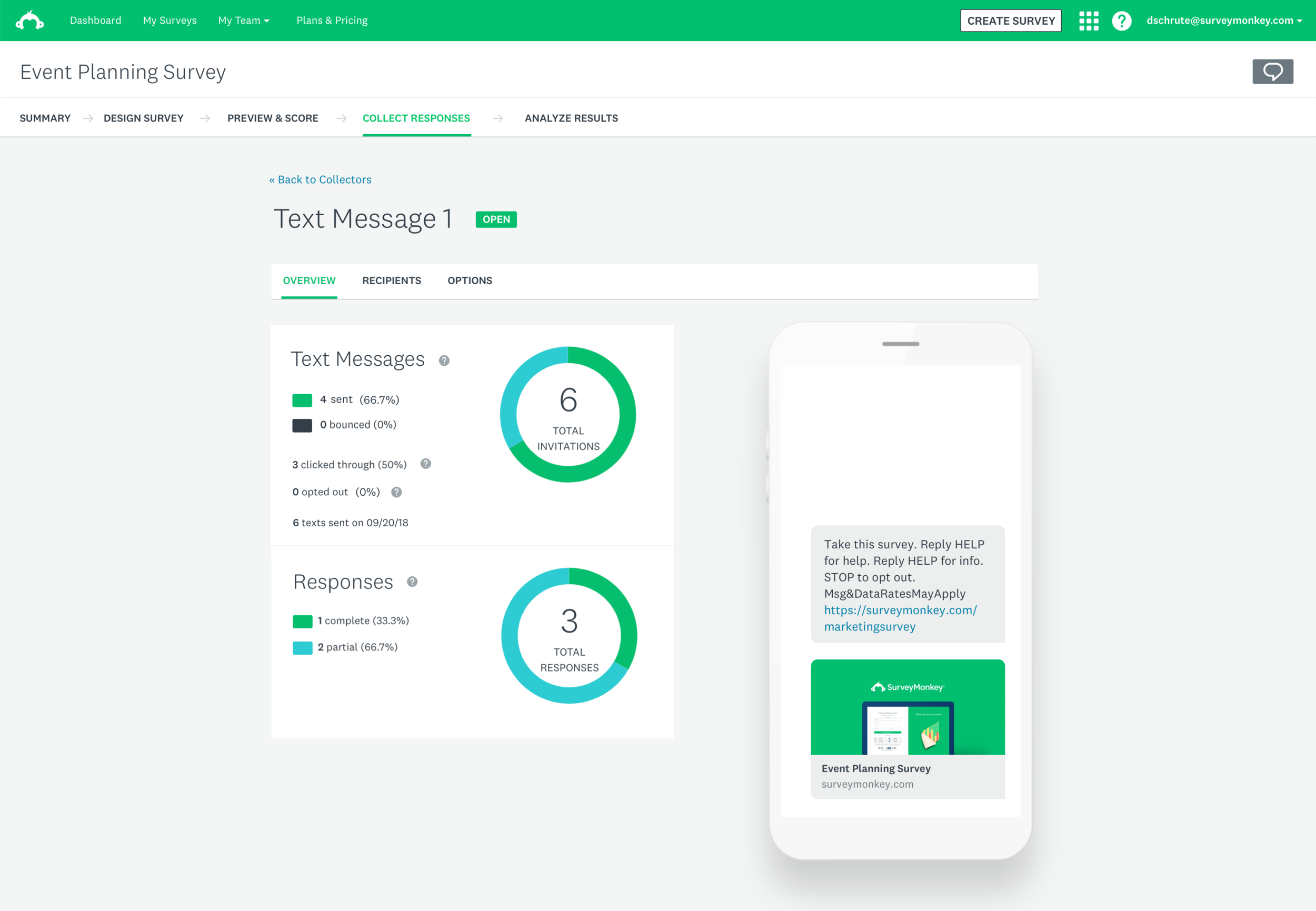
Text Message Collector overview screen
Text Message Collector
The Text Message collector lets users text people a link to take your survey. Survey takers can open the link to take your survey on their mobile phone. This feature helps our users reach a large audience quickly, avoid spam filters, and make their surveys more accessible to people on mobile devices which also has a positive effect on response rate.
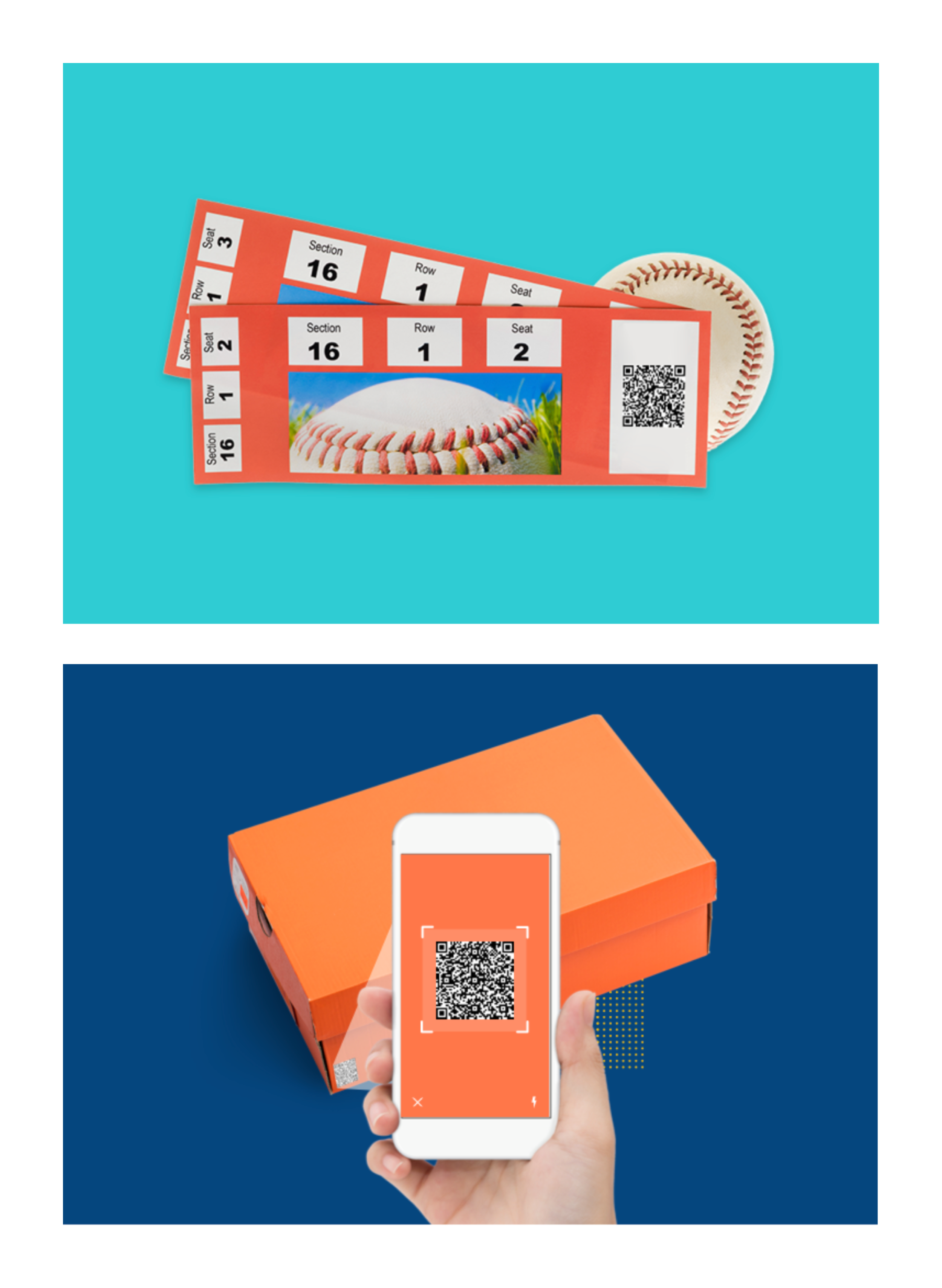
QR Code Collector
The QR Code collector generates a 2D barcode that people can scan with their smartphone to open and take a survey. It's common to include QR codes on print media like pamphlets, posters, and receipts.
Survey Interactions (2019)
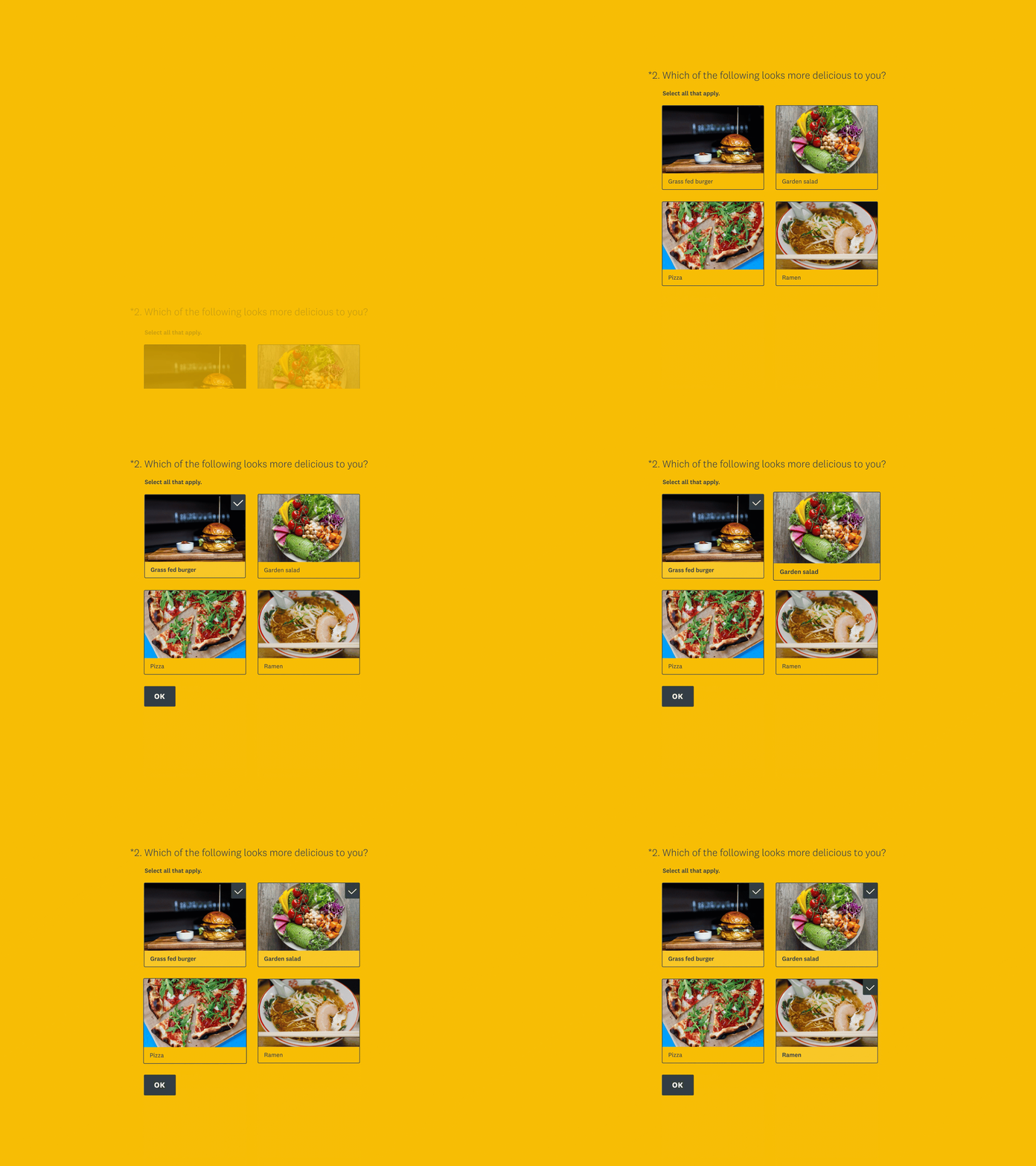
I led the design of the Survey Interactions project with the goal of bringing SurveyMonkey’s survey-taking experience to the next level. With more than 800,000,000 respondents in 2018, I identified a need to create a more modern, delightful experience for our respondents. This project takes into account survey architecture, navigation, and interaction. It improves how SurveyMonkey questions are displayed and uses motion to provide feedback to respondents.
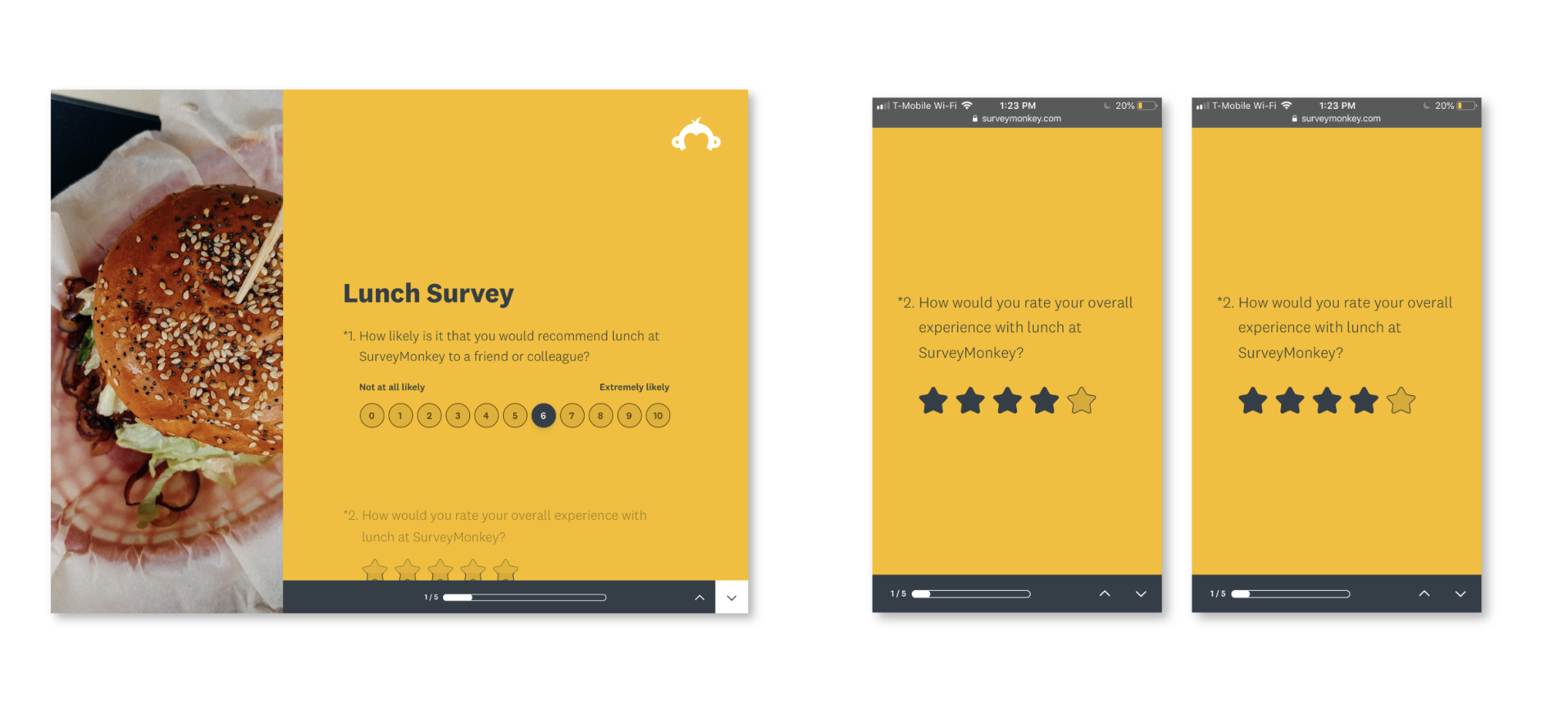
I was responsible for evaluating the design of each question type we offer and polish the visual elements to work together as a system. I redesigned the elements for each question type to work well with the different survey layouts we offer, as well as to be mobile responsive.
We hired a motion design contractor that I partnered closely with to explore various interaction patterns to bring each survey question to life in its own unique way.